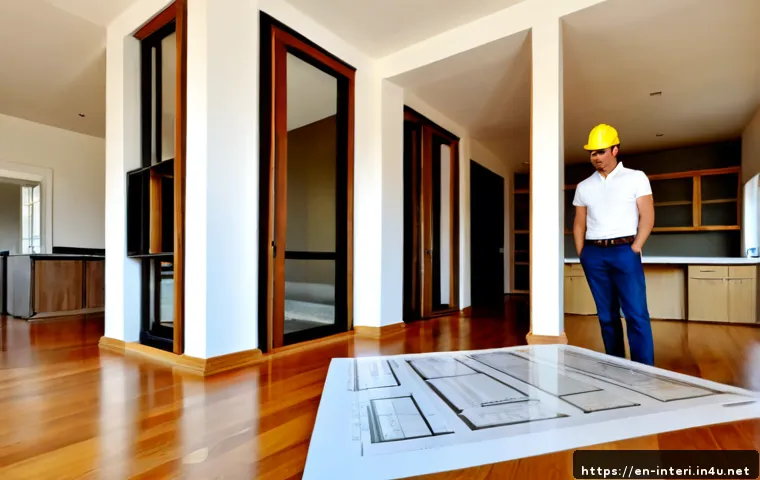
The most valuable interior architecture studio skills are technical drawing, material literacy, spatial planning, and clear presentation. Learn them in project order: measure the space, plan circulation, document the design, test materials and lighting, then explain the proposal visually.
CAD, BIM, rendering subscriptions, model-making tools, and portfolio training can be useful, but only after you know what your studio or target role actually requires.
A strong workflow reduces avoidable drawing, scale, and coordination mistakes before installation or construction begins. Start with basic competence in measurement and drawings before paying for advanced software or specialized courses.
Then choose tools based on the type of projects you want to create and communicate.
At a Glance
- Technical drawing helps turn a design idea into information that can be reviewed and coordinated.
- Material literacy and spatial planning make concepts more practical, durable, and appropriate for real use.
- Presentation skills connect drawings, samples, models, and visuals into a clear design story.
| Skill or Tool Area | Typical Studio Use | Best Selection Question |
|---|---|---|
| Hand drafting and sketching | Quick studies, early concepts, diagramming | Do you need to explore ideas quickly before producing formal drawings? |
| CAD or BIM software | Plans, elevations, sections, coordinated drawing sets | Does your studio or intended career path require technical documentation? |
| Rendering software | Material, lighting, and atmosphere visualization | Will a digital visual help explain your spatial intent more clearly? |
| Physical model tools | Scale, circulation, volume, and detail studies | Would a physical model reveal something a screen view does not? |
The Core Skills That Make Interior Architecture Studio Work Strong
Strong studio work is not only about producing attractive images. It is about making a spatial idea understandable, testable, and buildable. The foundation is spatial planning, accurate measurement, visual communication, and a clear design rationale.
Spatial Planning and Circulation
Begin by asking how people enter, move through, use, and leave a space. A layout should support the intended activities while considering furniture, doors, routes, and egress planning. Good circulation is easy to overlook because it is often felt before it is noticed.
When reviewing a plan, trace likely paths through the room. Check whether key zones are clear and whether the layout supports the purpose of the project. Building codes, accessibility requirements, and fire-safety rules can affect layouts and door clearances, so applicable local requirements must be checked for the current project.
Measurement, Scale, and Proportion
Accurate site measurement is one of the highest-value habits in interior architecture. Dimensioned drawings help reduce coordination errors before construction or installation. Record dimensions carefully, verify important measurements, and make sure drawings use a consistent scale.
A common weakness is designing from an assumed room size instead of a checked one. Also watch for mismatches between plan dimensions, elevations, sections, and model scale. If one change affects several drawings, update each related view before presenting the set.
Visual Communication and Design Rationale
A proposal becomes stronger when every visual answers a useful question. Plans explain organization. Elevations show vertical relationships. Sections reveal spatial height and construction relationships. Material samples communicate texture and finish. Short explanations connect these decisions to the design intent.
Do not let presentation boards become collections of disconnected images. Use concise captions and explain why a material, layout, lighting approach, or detail supports the user experience.
Technical Drawing Skills: From Hand Sketches to CAD and BIM
Technical drawing is the bridge between concept development and project coordination. You do not need every digital tool at once, but you do need to understand what each drawing communicates.
Plans, Elevations, Sections, and Construction Details
Interior architecture projects commonly use plans, elevations, sections, reflected ceiling plans, and detail drawings. Each view describes a different part of the same design. Plans communicate layout; elevations clarify walls and vertical surfaces; sections show cut-through relationships; reflected ceiling plans organize ceiling and lighting information; details focus on specific junctions or components.
Before finalizing a drawing set, compare the views. A door, finish, fixture, or built-in element should not appear differently from one drawing to another without a clear reason.
When Hand Drafting Still Helps
Hand drafting and sketching remain useful during early design stages. They can help you test alternatives, mark up feedback, understand proportion, and think through a layout without waiting for a full digital model. The goal is not to choose hand work over software. It is to use the fastest method for the design question in front of you.
Choosing CAD or BIM Based on Studio and Career Goals
CAD drafting may suit projects focused on producing clear two-dimensional drawings. BIM may be more relevant when coordinated models and documentation are expected. The right software subscription depends on school requirements, employer workflows, project type, and the level of technical coordination needed.
Before committing to a paid CAD or BIM plan, review your required outputs. If you only need basic drawings for an introductory studio, advanced features may not be the first priority. If your target role expects coordinated technical documentation, structured BIM training may add more value.
Materials, Finishes, and Lighting: Making Concepts Buildable
Material and lighting choices determine much more than appearance. They influence maintenance, durability, installation methods, budget considerations, comfort, and the final atmosphere of the space.
Evaluating Durability, Maintenance, Texture, and Cost
When comparing finishes, look beyond color or trend. Ask how the surface may perform, how it may be maintained, how it will be installed, and whether its texture supports the intended use. A material that looks suitable in a small sample may need more evaluation before it is specified for a larger area.
Material decisions should also connect to the project’s technical needs. Applicable code and fire-safety requirements can affect finish selections, so always verify current rules with the relevant local authority or project team.
Creating Useful Material Boards and Finish Schedules
A useful material board does more than look polished. It compares finishes in a way that supports decisions about color, texture, adjacency, and overall character. A finish schedule adds clarity by linking materials to rooms, surfaces, or drawing references.
Keep labels readable. Use consistent names between the board, schedule, and drawings. This reduces the risk of presenting a beautiful sample palette that cannot be connected back to the technical set.
Lighting Fundamentals for Function, Atmosphere, and Glare Control
Lighting design should consider task needs, ambience, glare control, color rendering, and fixture placement. Start with the activities that happen in each area. Then consider how light supports mood and visual comfort without creating distracting glare.
A lighting concept is clearer when it is shown in both drawings and visuals. Use a reflected ceiling plan to organize fixture placement, then use a simple rendering or visual study to communicate the intended atmosphere.

Practical Workflow: Survey, Model, Test, and Present
A repeatable workflow makes studio projects easier to manage. Start with reliable information, test the design through drawings and models, then present the final decisions with enough clarity for another person to follow.
Site Survey Habits and Dimension-Checking Methods
During a survey, record dimensions systematically rather than relying on memory. Note openings, existing features, ceiling conditions, and any elements that affect the proposed layout. Check critical dimensions again before producing detailed drawings.
Use a simple review sequence: verify the base plan, confirm drawing scale, compare key dimensions across views, and check whether design changes have been updated everywhere. This habit can prevent measurement and coordination errors from carrying into later work.
Physical Models, Digital Models, and Rendering Workflow
Physical models and digital visualizations can communicate spatial scale, circulation, and design intent before work begins. A quick model can reveal massing or movement issues. A digital model can support drawing production and visualization. A rendering can help communicate materials, lighting, and atmosphere.
Choose the method that answers the current question. Do not build a highly detailed rendering when a simple circulation model would reveal the problem faster. Likewise, do not rely on an attractive image when technical drawings are needed to explain the proposal.
Common Studio Mistakes That Weaken a Final Proposal
- Using measurements that have not been checked against the site survey.
- Mixing scales or leaving drawing dimensions unclear.
- Choosing materials only for appearance without considering maintenance, durability, or installation.
- Showing lighting as decoration rather than responding to tasks, glare, and fixture placement.
- Presenting drawings, samples, and visuals that do not tell the same design story.
Skill Priorities for Different Interior Architecture Paths
There is no single best software package or portfolio format for every interior architecture path. Build a broad foundation first, then direct more practice toward the work you want to pursue.
Residential and Hospitality-Focused Projects
For spaces centered on comfort and experience, emphasize circulation, material texture, lighting atmosphere, and clear visual storytelling. Technical drawings still matter because finishes, doors, fixtures, and details need to be communicated accurately.
Workplace, Retail, and Commercial Interiors
For workplace, retail, and commercial interiors, focus on organized layouts, documentation, finish coordination, and the practical relationship between design intent and installation. Accessibility, egress, and fire-safety considerations may influence planning and material decisions.
Students Building a Portfolio for Internships or Entry-Level Roles
A portfolio should show how you think, not only final renderings. Include evidence of site analysis, planning, drawings, material selection, model studies, and concise explanations. Select projects that demonstrate the skills relevant to the role you are seeking rather than forcing every project into one visual style.
Selection Criteria and Comparison Summary
Before paying for a software subscription, workshop membership, fabrication access, tutoring session, or portfolio course, use these decision checks:
- Required output: Do you need plans and sections, a coordinated model, a rendering, or a physical prototype?
- Current gap: Is the weakness technical drawing, material specification, visualization, or presentation?
- Project fit: Does the tool support your studio brief or the type of work you want to pursue?
- Access: Does your school, employer, or local workshop already provide the software or equipment?
- Learning support: Does the training include relevant exercises, feedback, or portfolio-focused guidance?
Basic competence is often enough when a tool only supports a simple studio task. Paid training or specialist visualization support may be worth considering when the project requires a stronger technical drawing set, more persuasive visual communication, or a portfolio review for a specific opportunity. Check the official product or course page for current access terms, included features, and learning conditions.
Closing Thoughts
Interior architecture studio skills work best as a connected system. Measure accurately, plan how people move, document the proposal clearly, evaluate materials and lighting carefully, and present the final decision in a simple visual sequence. Software and workshop tools can improve the workflow, but they are most useful when they solve a real project need. Build the fundamentals first, then invest where your next project or career goal requires more depth.
Useful Information
1. A polished rendering cannot replace inconsistent plans, elevations, or sections.
2. A material board is more useful when its samples and labels connect directly to a finish schedule.
3. Local code, accessibility, and fire-safety requirements should be checked for each current project.
Important Notes
Software requirements, studio equipment, grading criteria, budgets, and portfolio expectations vary by school, employer, location, and project type. Code compliance cannot be confirmed from a general studio workflow; verify applicable requirements with the relevant local authority and current project regulations. No single CAD, BIM, rendering, or portfolio approach is universally best.
Frequently Asked Questions
Q1. What are the most important skills for an interior architecture student to learn first?
A1. Start with spatial planning, accurate measurement, scale, basic technical drawings, material awareness, and clear presentation. These skills support almost every later task, including CAD, BIM, physical modeling, and rendering.
Q2. Is CAD enough for interior architecture, or should I learn BIM and rendering software too?
A2. CAD may be enough for some drawing-focused studio tasks, but BIM and rendering can be useful when a project needs coordinated documentation or stronger visual communication. Choose based on your studio requirements, target role, and the outputs you need to create.
Q3. When is it worth paying for a rendering course, workshop membership, or portfolio review?
A3. It may be worth the cost when it addresses a specific gap: you need better visualization for a project, access to fabrication tools for a model, or feedback that helps shape a portfolio for a defined application. Compare what is included, what access you already have, and whether the training matches your intended interior architecture path.